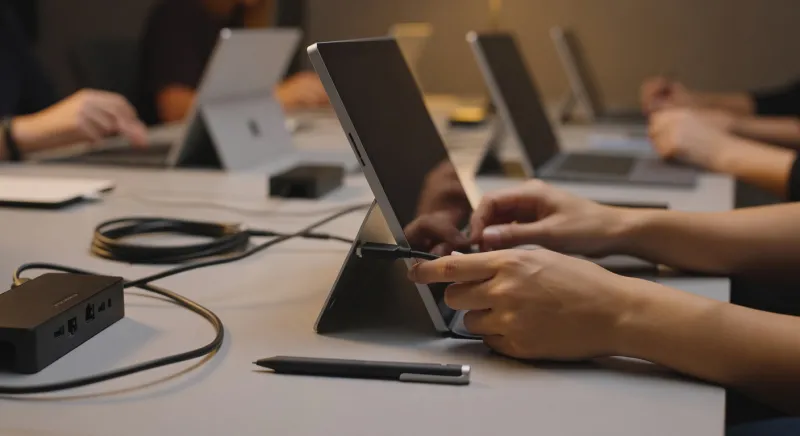
A nurse logs into a shared workstation in the ICU, opens the hospital's electronic health record system, reviews a patient's medication history, then walks away. Ten minutes later, a physician sits at the same terminal, opens the same EHR — and sees none of the nurse's session, no cached credentials, no leftover data. The software behaves as if it installed fresh. Except it was never installed at all.
This is virtual application delivery in action — one of the less-discussed but genuinely consequential technologies shaping how modern hospitals operate. Understanding how it works, and why healthcare has embraced it so thoroughly, helps explain a lot about the devices you see in clinical settings and the way staff interact with them.
What Virtual Application Delivery Actually Means
The core idea is straightforward: instead of installing a program on a local device, the program runs on a remote server. The user's screen displays what the application is doing; their keyboard and mouse inputs travel up to the server; the server processes everything and sends back a video-like stream of the result. From the user's perspective, the application looks and feels local. Under the hood, the device is essentially acting as a window into computing happening somewhere else.
As an Amazon Associate, I earn from qualifying purchases.
This is sometimes called application virtualization, application streaming, or — when the entire desktop environment is hosted remotely — Virtual Desktop Infrastructure (VDI). The distinctions matter technically, but the practical effect for a hospital employee is largely the same: they can sit down at almost any compliant device, authenticate, and have full access to the tools they need within seconds.
The major platforms enabling this in enterprise environments include Citrix Virtual Apps (formerly XenApp), VMware Horizon, and Microsoft's Remote Desktop Services. Each works somewhat differently under the hood, but all share the fundamental model of separating the application's execution environment from the physical device the user is holding or sitting in front of.
Why Hospitals Adopted This Model So Aggressively
Healthcare has some of the most compelling reasons of any industry to separate software from hardware, and those reasons cluster around three pressures: security and compliance, device diversity, and the sheer complexity of clinical software.
Security and HIPAA Compliance
Protected health information (PHI) is extraordinarily sensitive, and the penalties for mishandling it are severe. One of the persistent risks in any environment where staff share devices — as hospitals routinely do — is that a logged-in user walks away and leaves a session open, or that credentials get cached on a machine that later ends up in the wrong hands.
Virtual application delivery helps neutralize this risk in a concrete way. Because the application and its data never actually reside on the local device, there is nothing meaningful to steal from the endpoint. A clinician's EHR session lives on a hardened server in a controlled data center, not on the tablet they just set down in a break room. If that tablet is lost or stolen, the attacker gets a piece of hardware with no patient data on it.
This also simplifies audit trails. Security teams can log everything at the server level — who accessed what application, when, from which device, for how long — without needing to manage logging across hundreds or thousands of individual endpoints. For compliance officers trying to demonstrate HIPAA adherence, that centralized visibility is genuinely valuable.
The Shared Device Reality of Clinical Environments
Hospitals do not operate on a one-device-per-employee model. A busy emergency department might have a handful of workstations on wheels, a row of wall-mounted terminals, and a collection of tablets — all used by rotating staff across three shifts. Managing distinct software installations on each of those machines, keeping them updated, ensuring that user profiles don't bleed into one another, would be operationally nightmarish at scale.
With virtual delivery, none of that local management is required. IT administrators maintain the application on the server. They push an update once, and every user accessing the application anywhere in the system immediately gets the updated version. There is no patch cycle involving physical machines spread across multiple floors and buildings.
This matters enormously for clinical software. An EHR system like Epic or Cerner is not a simple productivity application — it is a deeply complex, heavily customized platform with intricate configuration requirements. Maintaining a consistent, correctly configured version of such a system across thousands of physical endpoints would be nearly impossible. Centralizing it on a handful of powerful servers, then delivering it virtually, makes the problem tractable.
Device Diversity and Bring-Your-Own Scenarios
Modern hospitals contain an extraordinary variety of computing hardware. There are ruggedized tablets for point-of-care documentation, thin-client workstations at nursing stations, full laptops in administrative offices, and portable devices carried by attending physicians doing rounds. Some of that hardware runs Windows; some runs macOS; some runs iOS or Android. Getting a complex clinical application to install and run natively and consistently across all of those platforms would require significant development and maintenance effort from software vendors.
Virtual delivery sidesteps the problem almost entirely. The application runs on a server configured specifically for it. The endpoint just needs a compatible client — essentially a lightweight viewer application — to display the session. A physician can access the hospital's EHR from their personal MacBook using the same Citrix or VMware client they'd use on a Windows workstation at the hospital. The experience is functionally identical because both sessions are rendering the same server-side application.
For hospitals experimenting with Surface Pro tablets in clinical settings, this architecture is particularly useful — the device can be light, simple, and easy to clean, because it doesn't need to carry the weight of complex software installations itself.
How the Technology Works at a Technical Level
When a clinician opens a virtual application, several things happen in rapid sequence. Their device sends an authentication request to a broker service — a component that verifies credentials and determines which applications and resources the user is entitled to access. Once authenticated, the broker identifies an appropriate server to host the session and establishes a connection.
From that point, the protocol transmitting the session does something subtle and important: it doesn't send the application's code to the local device. It sends a compressed, encrypted stream of screen updates — essentially a continuous series of image frames showing what the application is displaying. The local device decodes these frames and renders them on screen. When the user clicks a button or types in a field, those inputs are sent back to the server in the opposite direction, processed there, and the resulting screen change is streamed back.
The protocols designed for this — Citrix's HDX, VMware's Blast Extreme, and Microsoft's RDP among them — have been optimized over years to minimize perceived latency and handle variable network conditions gracefully. On a well-configured hospital network, the experience is indistinguishable from local software for most tasks. The difference becomes perceptible mainly in edge cases: very graphics-intensive applications, poor wireless connectivity, or sessions being accessed over slow external connections.
Thin Clients and Zero Clients
Virtual delivery enables a hardware category worth understanding: thin clients. These are inexpensive, low-powered devices — often without a hard drive in the traditional sense — designed specifically to run virtual sessions. They boot quickly, have minimal local software to patch or secure, consume little power, and are cheap to replace. Because they store nothing locally, losing one creates no data exposure.
Zero clients go even further — they contain essentially no general-purpose computing hardware at all, just the circuitry needed to establish a network connection and decode a display protocol. They are almost entirely dependent on the remote server. In high-volume areas like nursing stations or registration desks, zero clients are an attractive option precisely because of how little can go wrong with them locally.
The EHR Connection: Why This Architecture Fits Clinical Software
Electronic health record systems are among the most complex software deployments in any industry. They involve enormous databases, intricate role-based access controls, deep integration with laboratory systems, pharmacy platforms, billing infrastructure, and medical device feeds. A single EHR installation at a large health system might involve hundreds of servers, years of customization, and ongoing configuration work by teams of analysts.
Delivering this to end users virtually makes administrative sense: there is simply one authoritative running instance (or a clustered set of them), and users connect to it. But it also makes clinical sense, because it ensures consistency. Every clinician sees exactly the same version of the software, with the same configuration, the same custom workflows, the same medication order sets. There is no scenario where a physician on one device is running last month's version of an order entry workflow while another on a different device has the updated one.
For scheduling tools, the benefit is similar. A complex surgical scheduling system might need to communicate in real-time with OR management software, anesthesia records, and bed management systems. Running that as a centrally hosted virtual application ensures the integrations are maintained in one place, not replicated across every device that needs access.
Challenges and Limitations Worth Knowing
Virtual application delivery is not without real drawbacks, and hospitals that have deployed it at scale have encountered most of them.
Network Dependency
The entire model depends on a reliable, low-latency network connection. In most modern hospitals, wired connections are robust, but wireless coverage can be uneven — particularly in older buildings, basement areas near radiology, or in buildings that have been expanded and renovated multiple times. A clinician trying to document patient care on a tablet in a poorly-covered corner of the building may experience lag, dropped sessions, or failed connections. This is not a theoretical problem; it is a recurring complaint in healthcare IT forums and a driver of significant wireless infrastructure investment.
Peripheral Integration Complications
Medical environments rely on peripherals that need to interact with clinical applications: barcode scanners for medication administration verification, signature pads, smartcard readers for authentication, specialized input devices. Making these work cleanly through a virtual session adds complexity. The virtual delivery platform needs to redirect the peripheral's input from the local device to the remote server session, and this doesn't always work seamlessly. Some older or specialized devices require custom configuration or simply don't support redirection well.
When hospitals equip workstations with docking stations to connect multiple peripherals at once, IT teams often spend considerable time validating that each attached device behaves correctly within a virtual session — particularly for USB-connected clinical instruments.
Application Compatibility
Not every application is designed to run in a virtualized, multi-user server environment. Applications that assume they are the only instance running, that write configuration data to locations that conflict between users, or that rely on local hardware acceleration can behave unpredictably when virtualized. Healthcare organizations often maintain a list of applications that can be delivered virtually and a separate list of those that still require local installation — and managing that boundary requires ongoing IT attention.
Latency-Sensitive Use Cases
Applications involving real-time audio, video, or high-resolution imaging can stress virtual delivery systems. Radiology workstations for reading diagnostic images are a classic example — the data volumes involved and the need for precise color rendering and rapid image manipulation have historically made full virtualization challenging for diagnostic-quality reads. Telehealth video conferencing is another area where the additional latency introduced by routing audio and video through a virtual session can degrade quality. Many hospitals handle these cases with hybrid approaches, delivering most applications virtually while maintaining local installations for the specific tools that need them.
What This Means for the Future of Clinical Devices
As virtual delivery infrastructure matures and hospital networks improve, the devices clinicians use can become progressively lighter and simpler. A tablet or laptop that functions purely as a display terminal for server-side applications doesn't need a powerful local processor or large storage. It needs a good screen, a reliable network connection, a camera for video, and enough battery life to last a shift.
This is already influencing how health systems think about device procurement. Instead of specifying high-powered workstations to run demanding local software, they can standardize on mid-range devices that are easier to clean, replace, and manage — and that connect patients and clinicians to the same centrally maintained software environment regardless of what the hardware underneath happens to be.
The application that isn't there, in other words, is enabling a quieter revolution in what the device needs to be.