Walk into the nursing station of a modern hospital and you might notice something odd about the computers sitting on the desks. They're small — sometimes just a compact box or an all-in-one panel — and they hum quietly without the fan noise of a full workstation. They don't have optical drives. They often have no obvious storage at all. These are thin clients, and behind their unassuming appearance is one of the most practical computing strategies the healthcare industry has quietly adopted over the past two decades.
What Thin Client Computing Actually Means
A thin client is a desk device that does very little on its own. Rather than running applications locally from an installed hard drive, it streams everything — the operating system environment, software applications, user files — from a centralized server or a virtual desktop infrastructure (VDI). The device at the desk is essentially a display terminal with a network connection. The real computing happens elsewhere, in a data center the user never sees.
This is the opposite of the traditional "fat client" model, where every PC is a self-contained machine with its own installed software, local storage, and independent update cycle. Fat clients are powerful and flexible, but in a hospital with hundreds or thousands of workstations spread across dozens of departments, that independence becomes a management nightmare.
As an Amazon Associate, I earn from qualifying purchases.
Thin clients deliberately strip that independence away — and in healthcare, that turns out to be a feature, not a limitation.
The Security Case: Why an Empty Device Is a Safe Device
Patient data is among the most sensitive information in existence. Electronic health records contain medical histories, insurance details, Social Security numbers, and clinical notes. In most industries, a stolen laptop is an inconvenience. In healthcare, it can trigger regulatory investigations, significant financial penalties, and genuine harm to patients whose private information ends up in the wrong hands.
Thin clients address this at the hardware level. Thin clients store no persistent local data and run applications streamed from a centralized server or virtual desktop infrastructure (VDI), meaning a lost or stolen device exposes no patient or administrative records. There is nothing on the device to steal. A thief who walks out with a thin client terminal has acquired a small box that cannot function without a network connection back to the hospital's secured servers. The data never left the data center.
This architectural advantage matters enormously in real-world hospital settings. Devices get moved between wards. Laptops travel with clinicians. Equipment is sometimes left unlocked in the chaos of a busy shift. With a traditional workstation, any of these scenarios could expose locally cached files, saved credentials, or browser history. With a thin client, the attack surface at the physical device level is effectively zero.
IT Management at Scale: One Change, Every Device
A large hospital network might have workstations in emergency intake, radiology, pharmacy, surgical scheduling, billing, HR, the ICU, outpatient clinics, and dozens of other departments — all running different workflows but all needing consistent, up-to-date software. Keeping that estate patched and secure under a traditional model requires enormous effort. IT teams have to push updates to individual machines, deal with failed installations, manage version conflicts, and physically visit workstations when something breaks.
Thin client environments flip this model entirely. In a thin client environment, IT administrators can patch, update, or reconfigure every staff desktop across an entire hospital system from a single server-side change, without physically touching individual devices. When a critical security patch is released — or when a new version of an electronic health record system goes live — the update happens once, on the server. Every terminal in every department gets the new version the next time a user logs in, without any action needed at the desk.
This centralization also simplifies compliance. Healthcare organizations operating under regulations like HIPAA in the United States must demonstrate that systems handling patient data are consistently secured and audited. Proving that every workstation in a distributed hospital system meets a security standard is far easier when all workstations are running identical server-side environments than when each is a semi-independent machine with its own configuration history.
How Workflows Actually Run on Thin Clients
For the staff member sitting at the desk, day-to-day use of a thin client feels much like using a regular computer — with some important differences. They log in, typically with a username and password or a smartcard, and their virtual desktop appears. Their EHR application is there. So is their email, their scheduling software, and any department-specific tools. Everything looks normal because, from the user's perspective, it is.
The difference becomes apparent when context shifts. A nurse who moves from one ward to another doesn't need to find "their" computer. They can sit down at any thin client terminal in the building, log in, and their exact same desktop environment appears — same applications, same preferences, same access permissions. The user profile follows the credential, not the device.
This roaming profile capability is particularly valuable in hospitals, where staff rotate across floors and shifts, where agency workers come in and out, and where a clinician might need to access records from multiple locations during a single shift. There's no concept of "my workstation" tying someone to a specific desk.
Hardware at the Desk: Modest Devices, Serious Peripherals
Because the processing demands on the local device are low, thin client hardware can be significantly less powerful — and less expensive — than a comparable workstation. Many thin client units are fanless, consume little power, and have no moving parts, which also means they tend to be more reliable and quieter in clinical environments where noise matters.
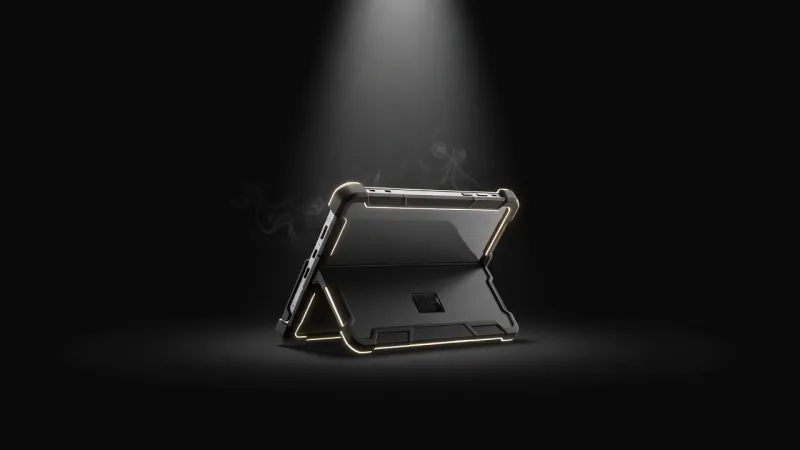
What hospital thin client setups do invest in is peripherals. The device may be modest, but the screen matters a great deal — a radiologist needs a high-quality display to review imaging, and ward nurses benefit from large monitors they can see clearly while standing. A well-specified monitor paired with a minimal thin client terminal is a common configuration in clinical settings. Similarly, connectivity matters: thin clients need reliable, fast network access, and docking stations are often used in mobile thin client deployments where a tablet or compact device needs to connect quickly to a desk setup with a full keyboard, screen, and peripherals.
The Challenges Hospitals Actually Face
Thin client computing isn't a perfect solution for every scenario in a hospital. There are real tradeoffs that IT and clinical teams have to manage carefully.
Network Dependency
Because thin clients require a live connection to the central server to function, the hospital's network infrastructure must be robust and redundant. A network outage doesn't just affect email — it can take down clinical workstations across entire departments. Hospitals using thin clients invest heavily in network redundancy, failover systems, and sometimes offline caching solutions for the most critical applications, but the dependency on connectivity is a genuine operational risk that requires active management.
Latency in Specialist Applications
Most administrative and clinical documentation workflows run well over a thin client connection. But some applications are more demanding. High-resolution medical imaging — the kind used in radiology or pathology — involves very large files that can stress a streaming architecture if the server or network isn't properly sized for it. Purpose-built solutions like GPU-accelerated VDI exist to address this, but they require additional infrastructure investment and careful configuration.
Change Management with Clinical Staff
The roaming desktop model is intuitive once staff are used to it, but the transition from traditional PCs requires training and adjustment. Clinicians used to saving files locally or keeping browser tabs open between sessions have to relearn habits. IT teams need to communicate clearly about what happens to work-in-progress at session end, and application vendors need to support the VDI environment properly.
Where Thin Clients Fit Best in a Hospital
Not every workstation in a hospital is a thin client, and most health systems use a mixed model. Thin clients tend to dominate in areas with high staff turnover and rotation — nursing stations, administrative reception, pharmacy dispensing, billing, and scheduling. They're also common in shared-use environments like staff break rooms and corridors where a terminal needs to serve many different users through the day.
Workstations with more local processing power are often retained for specialist uses: imaging reading rooms, clinical research environments, and any workflow involving large local data processing. The art is in matching the architecture to the use case rather than imposing one model across all scenarios.
The Broader Shift: Centralization as a Healthcare IT Strategy
Thin client computing fits within a broader trend in healthcare IT toward centralization and standardization. The same logic that makes server-side computing attractive for workstations — easier to secure, easier to update, easier to audit — applies to clinical applications moving to private cloud environments, to identity management systems that govern who can access what, and to data governance frameworks that keep patient records under strict institutional control.
Hospitals that have moved significantly toward thin client models often report that the ongoing management burden per device drops substantially, freeing IT staff to focus on more complex problems rather than routine maintenance. For organizations managing sprawling, multi-site estates under constant regulatory scrutiny, that operational efficiency is as valuable as the security benefits.
The terminal at the nursing station may look like it belongs to a simpler era of computing. In practice, it represents a deliberate and sophisticated choice — trading local power for central control, and complexity at the edge for reliability at the core.
Sources
Every factual claim in this article was independently verified against the following sources: