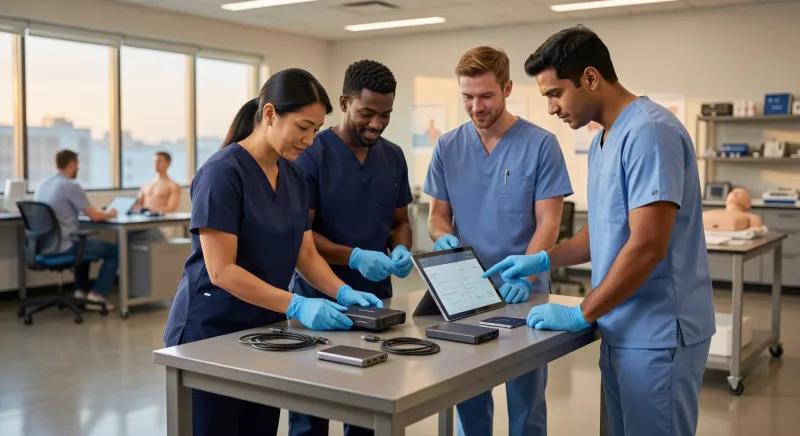
Picture a busy emergency department at shift change. A nurse sets down her tablet between patients, and by the time the next emergency rolls in, it's gone — slipped under a chair, picked up by mistake, or worse. On that device: medication schedules, patient identifiers, lab results, and access credentials to the hospital's clinical systems. Without a plan, that lost tablet is a serious data breach waiting to happen. With a well-configured mobile device management (MDM) platform, it's a three-minute problem with a traceable solution.
Mobile device management in healthcare has evolved from a convenience into a compliance necessity. Hospitals and health systems now routinely deploy thousands of smartphones and tablets to clinical and administrative staff, and keeping those devices secure — without grinding patient-facing workflows to a halt — requires a layer of centralized software that most patients never think about but clinicians interact with every single day.
What MDM Actually Does in a Hospital Setting
At its core, an MDM platform is a command-and-control system for mobile devices. IT administrators enroll each device into the platform — whether it's a dedicated hospital-owned tablet or a nurse's personal smartphone — and from that point forward, the organization can push policies, monitor compliance, distribute applications, and intervene remotely when something goes wrong.
In a general enterprise context, MDM is mainly about productivity and standardization. In healthcare, the stakes are considerably higher because the data involved is among the most sensitive a person can possess: their medical history, diagnoses, treatment plans, and insurance information. That shifts MDM from an IT management tool into a patient privacy safeguard.
Enrollment and Baseline Security Policies
Before a device ever reaches a clinician's hands, the MDM platform establishes a baseline. MDM platforms can enforce device-level encryption, require passcode policies, and restrict which applications can be installed on enrolled staff devices. In practical terms, this means a tablet leaving the IT department will already require a six-digit PIN or biometric authentication, will encrypt its storage automatically, and will refuse to install apps that haven't been approved by the organization.
These aren't optional configurations a user can turn off. They're enforced at the device management level, sitting beneath the operating system's normal user controls. A clinician can customize their home screen wallpaper, but they cannot disable encryption or remove the passcode requirement — the MDM policy won't permit it.
The Remote Wipe: Healthcare's Most Important Emergency Button
Back to the lost tablet in the emergency department. The moment a device goes missing, the MDM platform gives IT administrators a clear decision tree. First, they can check the device's last known location through the platform's inventory and geolocation features. If it's simply been left in a break room or another ward, a physical recovery is possible. If the device is unaccounted for or appears to have left the building, administrators can trigger a remote lock — requiring a PIN to use the device at all — while they investigate further.
If recovery isn't feasible, a remote wipe command erases everything on the device. The electronic protected health information (ePHI) that was accessible through clinical applications is gone. The authentication credentials that might have given a finder access to hospital systems are invalidated. From a compliance perspective, this matters enormously.
HIPAA's Security Rule requires covered entities to implement policies for the removal of electronic protected health information (ePHI) from hardware before reuse or disposal, which extends to mobile device remote wipe capabilities. This means a remote wipe isn't just a good practice — it's part of the documented policy framework that healthcare organizations must maintain to demonstrate HIPAA compliance. When a device is wiped remotely, that action is logged, timestamped, and auditable.
The HHS Office for Civil Rights has issued guidance specifically addressing mobile device security for covered entities, including recommendations for remote wipe and automatic logoff. That automatic logoff piece is easy to underestimate. Clinical environments are busy, and staff routinely set devices down mid-task. MDM-enforced automatic screen lock — triggering after a short period of inactivity — means that an unattended device at a nurses' station doesn't remain an open window into patient records indefinitely.
Pushing Software Updates Without Breaking Clinical Workflows
Security patches are one of the most reliably contentious topics in healthcare IT. On one hand, unpatched operating systems and applications are a primary attack vector for ransomware and data theft. On the other hand, pushing an update that requires a device restart at 2 PM on a busy medical floor can disrupt care delivery in ways that carry real consequences.
MDM platforms give IT teams surgical control over this problem. Rather than relying on individual staff members to apply updates on their own schedule — which, in practice, means some devices go months without patches — administrators can stage updates and schedule their deployment during periods of lower clinical activity, typically overnight or during shift transitions. Maintenance windows can be defined so that a device running an active clinical application is never interrupted mid-use.
Application Management and Approved Software Libraries
Beyond operating system updates, MDM platforms manage the entire application lifecycle on enrolled devices. Most healthcare organizations maintain a curated library of approved apps — clinical decision support tools, secure messaging platforms, electronic health record mobile clients, telehealth applications — that administrators can push to devices silently and automatically.
This silent installation capability matters in large health systems. When a hospital rolls out a new secure messaging application to replace an older one, IT doesn't need to send instructions to 3,000 individual staff members and hope for compliance. The MDM platform pushes the new application, removes the old one, and confirms successful installation across the entire fleet, all without requiring any action from the end user.
The same system can remove applications remotely. If a clinical application is found to have a security vulnerability, IT can pull it from every enrolled device in the organization within minutes — a capability that would be essentially impossible to replicate through manual effort at scale.
The BYOD Problem: When It's Not the Hospital's Device
Many healthcare organizations have moved toward or are considering bring-your-own-device policies, allowing clinical staff to use their personal smartphones for work purposes. The appeal is real: staff are already comfortable with their own devices, and issuing dedicated hardware to thousands of employees is expensive and logistically complex.
But BYOD creates a genuine MDM challenge that doesn't have a perfectly clean solution. BYOD policies in hospitals create a documented MDM challenge because personal devices enrolled in MDM must balance organizational security controls with employee privacy, often requiring containerization of work data.
Containerization is the technical response to this tension. Rather than managing the entire personal device — which would give IT visibility into personal photos, messages, and applications, raising obvious privacy concerns — MDM platforms can create an isolated, encrypted workspace on the device that contains only work-related data and applications. The hospital's security policies apply only within that container. If a staff member's personal phone is enrolled in the hospital's MDM for BYOD purposes and they later leave the organization, IT can perform a selective wipe that removes only the work container, leaving personal data untouched.
This sounds elegant in principle, and modern MDM platforms have made it genuinely workable. In practice, it requires clear communication with staff about what the MDM platform can and cannot see on their personal devices, and robust written policies that staff acknowledge before enrollment. The privacy concerns are real, and healthcare organizations that gloss over them tend to face resistance that undermines adoption.
Managing a Fleet of Thousands: Inventory, Compliance Reporting, and Alerts
One of the less dramatic but enormously valuable functions of an MDM platform is simply knowing what you have and whether it's compliant. A large hospital system might have thousands of mobile endpoints — tablets on medical-surgical floors, smartphones carried by home health nurses, devices shared across shifts at nursing stations, dedicated devices in radiology or pharmacy. Without centralized management, maintaining an accurate inventory of those assets and their security status would require constant manual auditing.
MDM platforms maintain a real-time inventory that tracks each device's model, operating system version, patch status, installed applications, last check-in time, and compliance status against the organization's defined policies. Devices that fall out of compliance — perhaps a device that hasn't connected to the network to receive policy updates in an unusual amount of time — can trigger automatic alerts to IT staff.
This compliance reporting also serves a critical function during regulatory audits. When a HIPAA auditor asks how the organization ensures that mobile devices accessing ePHI are encrypted and secured, the MDM platform's compliance dashboard provides documented, timestamped evidence rather than a stack of attestations collected through email surveys.
Integration with the Broader Clinical Environment
Effective MDM in healthcare doesn't exist in isolation. The strongest implementations integrate with identity management systems — so that when a staff member's employment ends and their account is deactivated, their enrolled devices automatically lose access to clinical applications and data. They integrate with network access control systems, so that only compliant, enrolled devices can connect to the hospital's clinical Wi-Fi network. They feed into security information and event management platforms that monitor for anomalous activity across the organization's entire technology environment.
This interconnection is what separates a mature healthcare MDM deployment from simply installing a management app on a few tablets. The goal is a coherent security architecture where mobile devices are neither the weakest link nor treated as isolated problems, but managed as part of a unified approach to protecting patient information.
The Workflow Reality: Making Security Invisible to Clinicians
Perhaps the most underappreciated design goal in healthcare MDM is invisibility. The best configuration is one where clinical staff barely notice the security infrastructure operating around them. Passcodes become muscle memory. Automatic logoff is a minor annoyance rather than a disruption. Application updates happen overnight. The approved app library contains every tool they actually need.
When MDM implementations go wrong in healthcare, it's usually because security requirements were layered onto clinical workflows without adequate input from the clinicians who use the devices. An overly aggressive screen lock timeout that triggers during a medication administration workflow forces a clinician to re-authenticate at a moment when their hands and attention are needed elsewhere. An application whitelist that blocks a legitimate clinical tool creates workarounds — often less secure ones — as staff try to do their jobs despite the restrictions.
The organizations that get this right involve clinical informaticists, nursing leadership, and frontline staff in the MDM configuration process. They pilot policies on specific units before fleet-wide rollout. They treat usability as a security concern in its own right, because a security control that staff routinely circumvent provides no actual security.
When the Nurse Finds Her Tablet
As it happens, many lost-device scenarios in hospitals resolve without a wipe. The tablet was behind a chair cushion. A colleague picked it up thinking it was theirs. It ended up in a supply closet. The MDM platform's location data helped confirm it was still on-premises, IT issued a temporary remote lock, and the device was recovered intact, its data never exposed.
That's actually the best outcome an MDM platform can produce: not a dramatic remote wipe, but the quiet, documented evidence that patient data was protected throughout, the device is accounted for, and the audit trail is clean. In healthcare, where trust is foundational to the patient-provider relationship, that kind of invisible protection is exactly what the technology is designed to deliver.
Sources
Every factual claim in this article was independently verified against the following sources:
- HIPAA Security Rule - 3 Required Safeguards - The Fox Group — foxgrp.com
- What is Mobile Device Management (MDM)? | Cybersecurity 101 | Huntress — huntress.com
- HHS OCR Issues Guidance on Mobile Devices and Compliance with HIPAA — wachlerblog.com
- Hospital Bring-Your-Own-Device Security Challenges and Solutions: Systematic Review of Gray Literature - PMC — pmc.ncbi.nlm.nih.gov