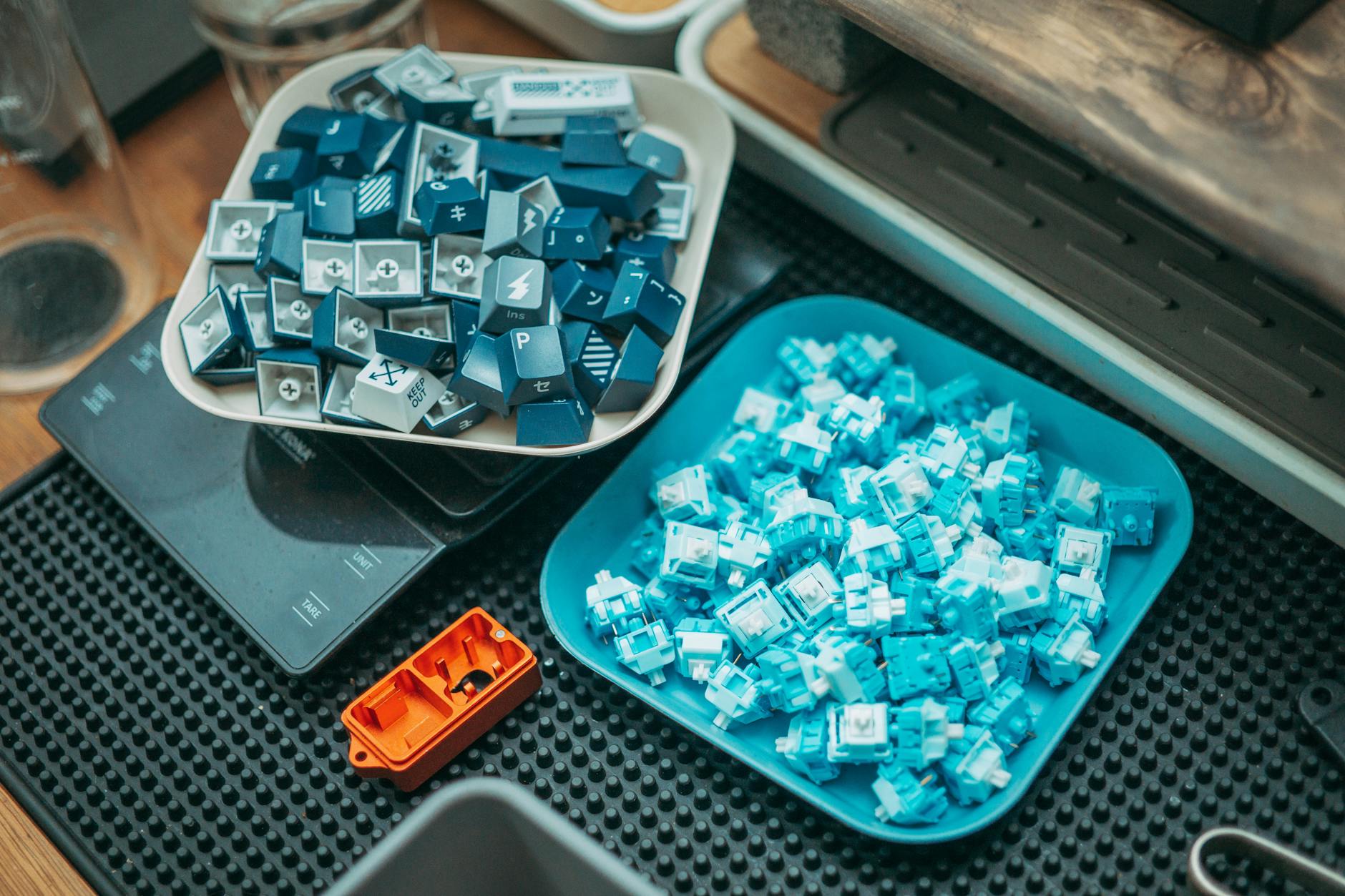
Press a key on a mechanical keyboard and something quite precise happens inside that small plastic housing — a spring compresses, a slider travels down a shaft, and a metal contact closes an electrical circuit. That sequence, completed in a fraction of a second, is why mechanical keyboards feel so different from the membrane keyboards bundled with most desktop computers, and why two mechanical switches sitting side by side can feel nothing alike. Understanding the engineering behind that sequence makes choosing the right keyboard for focused work far less mysterious.
The Basic Anatomy of a Mechanical Switch
Every mechanical keyboard switch is built from a small set of components: a housing (top and bottom), a stem that slides vertically through the housing, a spring that sits beneath the stem, and two metal contact leaves that complete an electrical circuit when they touch. When you press a key, the stem travels downward, compressing the spring. At a specific point in that travel — called the actuation point — the stem either pushes the contacts together directly or allows them to spring together. When you release the key, the spring returns the stem upward and the contacts separate, breaking the circuit and resetting the switch.
The PCB (printed circuit board) underneath is constantly scanning each switch position many times per second. The moment a circuit closes, the keyboard's controller registers a keypress and sends the signal to your computer. From your finger depressing the key to the character appearing on screen, the whole process takes only a few milliseconds.
As an Amazon Associate, I earn from qualifying purchases.
Why Different Switches Feel and Sound Different
The feel of a switch is almost entirely determined by the shape of the stem and the weight of the spring. Swap those two variables and you change everything — the resistance curve, the presence or absence of a tactile bump, the sound, and the total travel distance.
Linear Switches
A linear switch has a cylindrical or uniform stem profile. As it travels downward, there is no interruption — the resistance increases smoothly and predictably as the spring compresses. You feel nothing unusual until the switch bottoms out against the housing. This produces a smooth, quiet keystroke with no audible or tactile feedback at the actuation point. Typists who prefer speed and a low-distraction experience often gravitate toward linears because the finger doesn't need to push through any resistance bump; it just glides to the bottom.
Tactile Switches
A tactile switch has a deliberate bump molded into the stem — typically a small raised leg or curved protrusion. As the stem descends, this bump has to push past a corresponding ridge on the housing or the contact leaf, creating a noticeable increase in resistance followed by a sudden drop. That's the tactile feedback: a physical signal that the switch has actuated. Importantly, on most tactile switches, the actuation point coincides with or sits just before the bump, meaning you don't need to press the key all the way to the bottom to register a keypress. This can reduce finger fatigue during long sessions because you learn to stop pressing at the bump rather than bottoming out every stroke.
Clicky Switches
A clicky switch adds a click mechanism — usually a small plastic click jacket or click bar — to the tactile design. When the stem overcomes the bump, this component snaps sharply, producing the distinctive audible click. The sound is not a byproduct of the contacts meeting; it's generated mechanically, separate from the electrical actuation. This is why the click sounds the same whether or not the switch was already pre-actuated. The result is a switch that provides both a strong tactile bump and an audible confirmation of each keypress, which some typists find deeply satisfying and others find distracting.
As an Amazon Associate, we earn from qualifying purchases.
The Role of Spring Weight
The spring determines how much force you must apply to actuate the switch. Spring force is measured in centinewtons (cN) or, more commonly in keyboard communities, in grams-force (gf). A lighter spring requires less force and allows faster keystrokes with less physical effort, but it also increases the risk of accidental keypresses. A heavier spring demands deliberate intent for each stroke, which some writers and programmers find reduces errors. Most mainstream switches fall somewhere between around 45 gf and 80 gf, with considerable variation between the actuation point and the point of maximum compression at the bottom of travel.
The Standard That Built the Industry
Cherry MX switches, introduced by the German company Cherry GmbH in the 1980s, became the dominant standard for mechanical keyboard switches and established the color-coding system (red, brown, blue, etc.) still widely used today. That color system is now a kind of shorthand understood across the industry: red for linear, brown for light tactile, blue for clicky, black for heavier linear, and so on. Even manufacturers who produce their own proprietary switches often describe their products by reference to Cherry MX equivalents, because the color language has become so deeply embedded in how people shop for and discuss switches.
The Cherry MX stem cross — a plus-shaped slot at the top of the stem — also became a de facto standard for keycap mounting. The vast majority of aftermarket keycaps are designed to fit this cross, which is one reason Cherry-compatible switches remain so central to the hobby and professional market decades after their introduction.
How Switch Construction Affects Sound
Sound is produced at two moments: actuation (especially in clicky switches) and bottom-out, when the stem hits the bottom housing. The material of the housing matters significantly. Nylon housings tend to produce a softer, higher-pitched sound. Polycarbonate housings can produce a slightly higher-pitched, sometimes described as "poppy" sound. The stem material, lubricant applied to contact surfaces, and even the keycap material all filter and shape the final acoustic result.
The keyboard's overall construction amplifies or dampens these sounds further. A heavy brass plate transmits vibration differently than a flexible polycarbonate plate. Foam dampening layers inside the case reduce resonance. This is why the same switch can sound noticeably different in two different keyboard builds — the switch is only one part of the acoustic system.
What This Means for Focused Work
Choosing a switch for sustained, focused work involves balancing several trade-offs that now have a mechanical basis rather than just a preference basis.
Noise in Shared Spaces
If you work near other people, clicky switches — whatever their ergonomic merits — create audible disturbance. Linear switches are the quietest mechanicals, and some manufacturers add small dampening pads to the stem to further muffle bottom-out sound. Tactile switches occupy a middle ground: the bump is felt more than heard, though bottoming out still creates some noise.
Reducing Typing Fatigue
The tactile bump on switches like the Cherry MX Brown or heavier tactile variants serves a functional purpose beyond satisfaction: it teaches your fingers to stop at actuation rather than hammering the switch to the bottom on every keypress. Over hours of writing, this can meaningfully reduce the cumulative impact on your fingers and wrists. The effect is subtle but real, particularly for people who type heavily and continuously.
Accuracy vs. Speed
Linear switches with light springs are popular in gaming because they allow rapid, repeated keystrokes without resistance interruption. For writing and coding, many people find that a moderate tactile switch or a heavier linear provides better accuracy because the resistance gives the finger a sense of position and reduces inadvertent double-taps. There's no universal answer — but understanding why the mechanical difference exists allows you to make a reasoned choice rather than simply defaulting to whatever came with your machine.
Beyond Cherry: The Modern Switch Landscape
The switch market today extends well beyond Cherry. Manufacturers like Gateron, Kailh, Topre (which uses a hybrid capacitive-mechanical design), and dozens of boutique producers offer switches with their own stem geometries, spring curves, and housing materials. Some use optical actuation — an infrared beam broken by the stem — rather than metal contacts, eliminating contact debounce issues entirely and potentially extending switch lifespan. Others experiment with magnetic Hall effect sensors that detect stem position without any physical contact at all.
These variations all sit on top of the same fundamental principles: a stem travels through a housing, a spring provides return force, and a signal is sent at the actuation point. The engineering creativity exists within those constraints — and the result is a genuinely wide range of typing experiences, each with a logical mechanical explanation for why it feels the way it does.
If you're building or selecting a workstation for focused productivity, it's worth pairing your switch research with a broader look at your setup as a whole — because a great switch in a poorly considered workspace still leaves much of the potential untapped.
Sources
Every factual claim in this article was independently verified against the following sources:
- Cherry AG — en.wikipedia.org